Building Better WordPress: How Sage Unlocks Clean, Maintainable Code
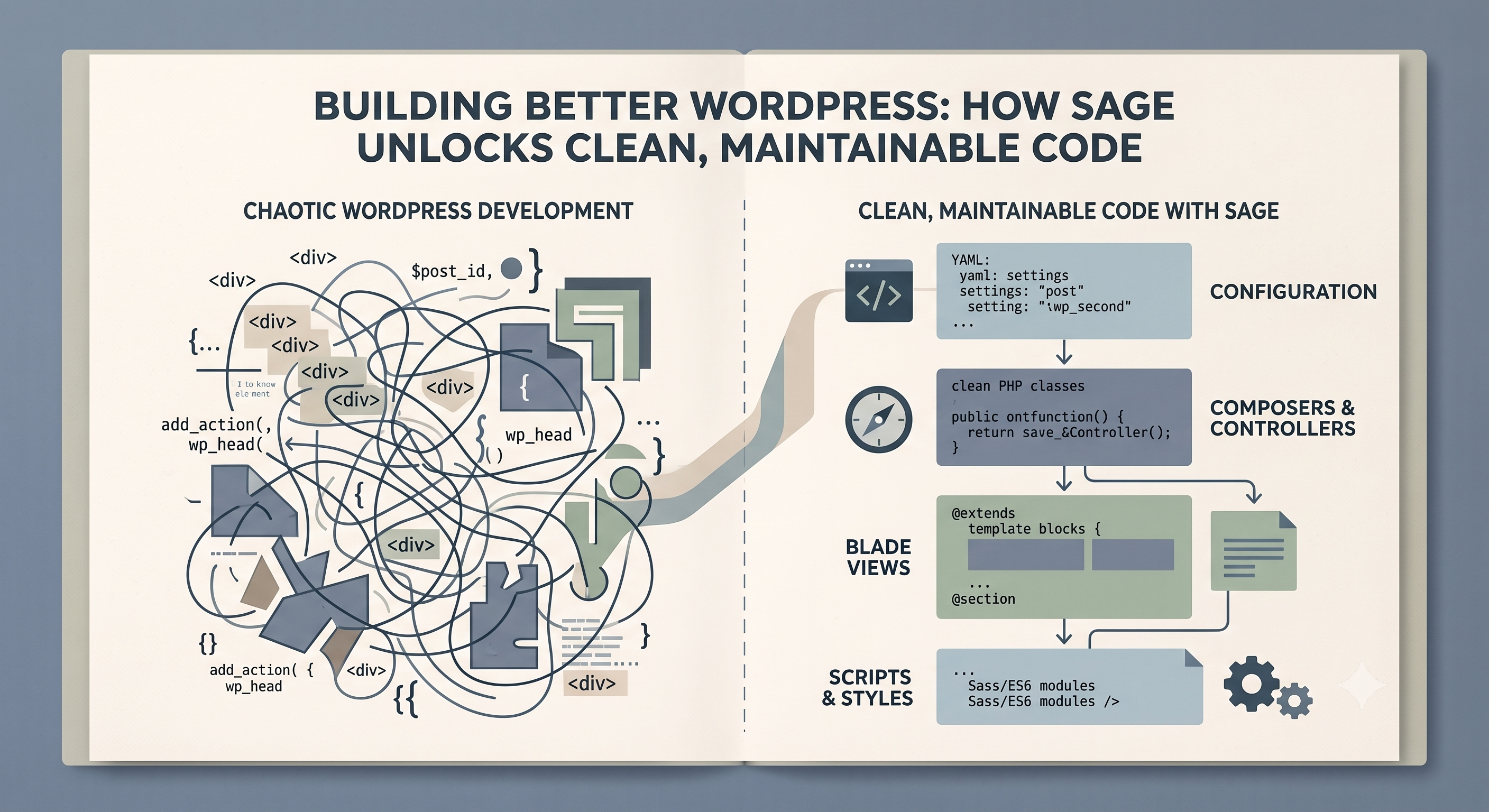
For years, the WordPress development landscape felt like a choose-your-own-adventure between spaghetti code and page builder bloat. As a developer, I found myself constantly searching for a more elegant, organized way to build custom themes, something that respected modern architectural principles without fighting the WordPress core. That search invariably led me to Sage, and frankly, it changed everything about how I approach WordPress projects. Sage isn't just another theme framework; it's a philosophy, a commitment to building robust, maintainable websites with a developer-first mindset.
What truly sets Sage apart is its unwavering dedication to a clean, MVC-like architecture. Unlike traditional WordPress themes where PHP logic often gets tangled directly within `index.php` or `page.php` files, Sage brings the clarity of Blade templating. This means my template files are exactly what they should be: pure presentation. No more complex loops, conditional statements, or data fetching logic polluting the visual markup. Blade offers a clean, intuitive syntax that makes templates a joy to read and write, ensuring the "view" layer of my application remains strictly focused on displaying information, not processing it.
But how does that data actually get to the templates if not directly within them? This is where Sage's View Composers shine. View Composers act as the bridge, allowing me to define exactly what data each template needs and then preparing that data cleanly and programmatically. Instead of querying the database directly in my `single.blade.php`, I can create a dedicated Composer that fetches post meta, related articles, or custom fields, and then injects that prepared data into the template. This separation of concerns is powerful, routing data cleanly and ensuring my business logic remains distinct from my presentation layer, making the codebase infinitely more testable and easier to manage.
Underpinning this entire clean architecture is Acorn, Sage’s integration of many beloved Laravel components, including a powerful dependency injection container. This brings modern PHP development practices directly into the WordPress ecosystem. Need to manage services, configurations, or complex dependencies? Acorn's container makes it trivial, promoting well-structured, modular code. It means I can write code that's not just functional, but also robust, scalable, and a pleasure for other developers to jump into. This isn't just about using fancy tools; it's about elevating WordPress development to the same standard of craftsmanship seen in other modern PHP frameworks.
Now, let's talk about the elephant in the room: page builders like Divi or Elementor. While they promise quick results for non-developers, they often deliver a hidden cost that becomes painfully clear on complex projects. Their database-driven approach, while visually intuitive for front-end design, results in an unmaintainable database bloat of shortcodes, JSON, or custom table entries. Debugging issues or trying to implement custom logic becomes a nightmare of deciphering arcane builder output. Want to version control your design? Good luck tracking changes in a database table. With Sage, every line of code, every template, every composer is a physical file. This means Git works beautifully, development environments are easily replicated, and the entire codebase is transparent, programmatic, and fully under my control. I can confidently say I own every aspect of the site's functionality and design, rather than being beholden to a builder's proprietary structure.
For serious WordPress development, where performance, maintainability, and scalability are paramount, Sage is, unequivocally, the developer's choice. It’s about building a solid foundation, not just slapping a pretty facade on a fragile structure. If you’re tired of the hacks and the bloat, and you're ready to embrace a truly modern, organized approach to WordPress, Sage is your answer.