Decoupling WordPress: Building a Headless Frontend with Next.js and Automated CI/CD
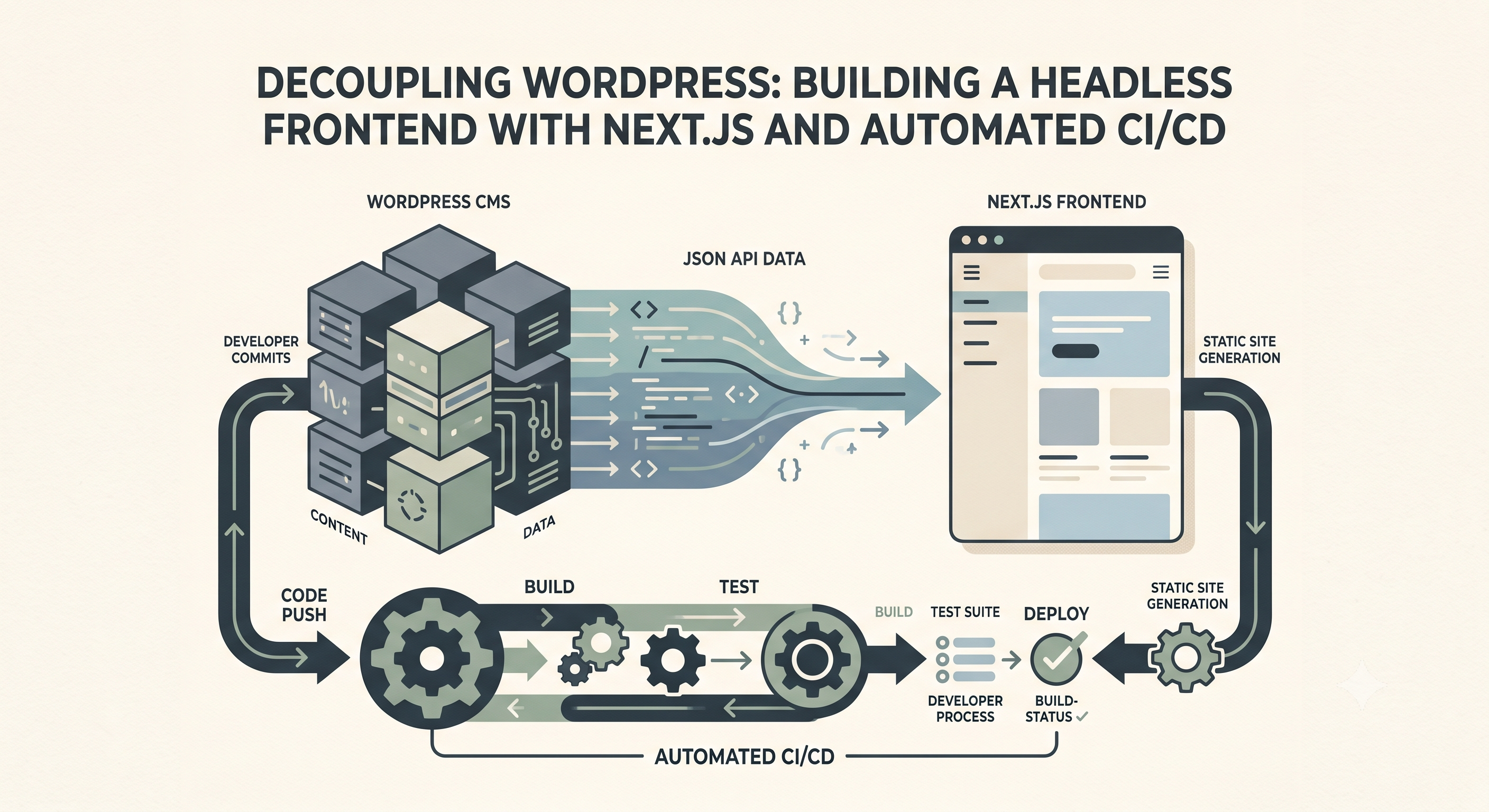
We often think of WordPress as a monolithic platform, a backend and frontend tightly coupled, dictating how our content is presented. However, the true power of modern WordPress development emerges when we decouple it, leveraging its robust content management capabilities as a headless CMS. This approach allows us to build lightning-fast, highly scalable frontends using modern frameworks while keeping content creators comfortable in their familiar WordPress environment.
At the core of a headless WordPress setup is its REST API. By default, WordPress exposes endpoints for posts, pages, categories, tags, users, and more, all accessible at yourdomain.com/wp-json/wp/v2/. For instance, fetching your latest posts is as simple as making a GET request to yourdomain.com/wp-json/wp/v2/posts. When integrating custom post types or custom fields, plugins like Advanced Custom Fields (ACF) Pro seamlessly expose this data through the same REST API, making your bespoke content structures available for any frontend to consume. For secure access, especially for unpublished content or specific API endpoints, application passwords or JWT authentication are essential considerations.
Consider building a frontend with Next.js, a popular React framework. Next.js excels at both static site generation (SSG) and server-side rendering (SSR), perfect for consuming data from a headless WordPress instance. For an SSG approach, common for blog posts or static pages, we'd use Next.js's `getStaticProps` function to fetch data at build time. For example, to fetch all post slugs for static path generation (`getStaticPaths`) and then fetch individual post data:
async function getStaticProps({ params }) { const res = await fetch(`https://yourwpdomain.com/wp-json/wp/v2/posts?slug=${params.slug}`); const posts = await res.json(); const post = posts[0]; // Assuming slug returns a single post return { props: { post } }; }
This code snippet illustrates how straightforward it is to pull content from WordPress. The `post` object, once received, contains all the data you’ve configured in WordPress, including custom fields, allowing you to render highly dynamic and rich content on your Next.js frontend without WordPress's theme layer ever touching the browser.
Once we have our decoupled frontend, the next logical step is to automate its deployment. Manual deployments are prone to error and time-consuming, especially when content updates in WordPress should ideally trigger a frontend rebuild to reflect the latest changes. This is where Continuous Integration/Continuous Deployment (CI/CD) with GitHub Actions becomes invaluable.
A typical GitHub Actions workflow for a headless Next.js application would live in a file like `.github/workflows/deploy.yml` in your frontend repository. This workflow can be triggered by a push to your `main` branch, a manual dispatch, or even a WordPress webhook that triggers a `repository_dispatch` event on content updates. The latter is powerful, allowing content changes to automatically kick off a new frontend build.
Within the workflow, we define jobs that run on GitHub's virtual machines. A `build_and_deploy` job might consist of several steps: first, checking out your repository code (`actions/checkout@v3`). Second, setting up the Node.js environment (`actions/setup-node@v3`) to ensure consistency. Third, installing project dependencies (`npm ci`). Fourth, running the Next.js build command (`npm run build`). Finally, the critical deployment step, which could push the statically generated files to a hosting provider like Vercel, Netlify, or an S3 bucket with CloudFront. For example, a deployment step might involve `npx vercel deploy --prebuilt --prod` using environment variables for authentication tokens securely stored as GitHub Secrets.
Automating this process ensures that every content update in WordPress or every code change in your frontend repository triggers a fresh, optimized build and deployment. This leads to exceptional site performance, enhanced security by minimizing the attack surface (since the WordPress backend is not directly exposed to visitors), and a superior developer experience, allowing teams to focus on building features rather than managing deployments. Embracing a headless architecture with robust CI/CD is truly the next frontier for scalable WordPress development.