"Just Install a Plugin For That": My Take on When to Code It Yourself in WordPress
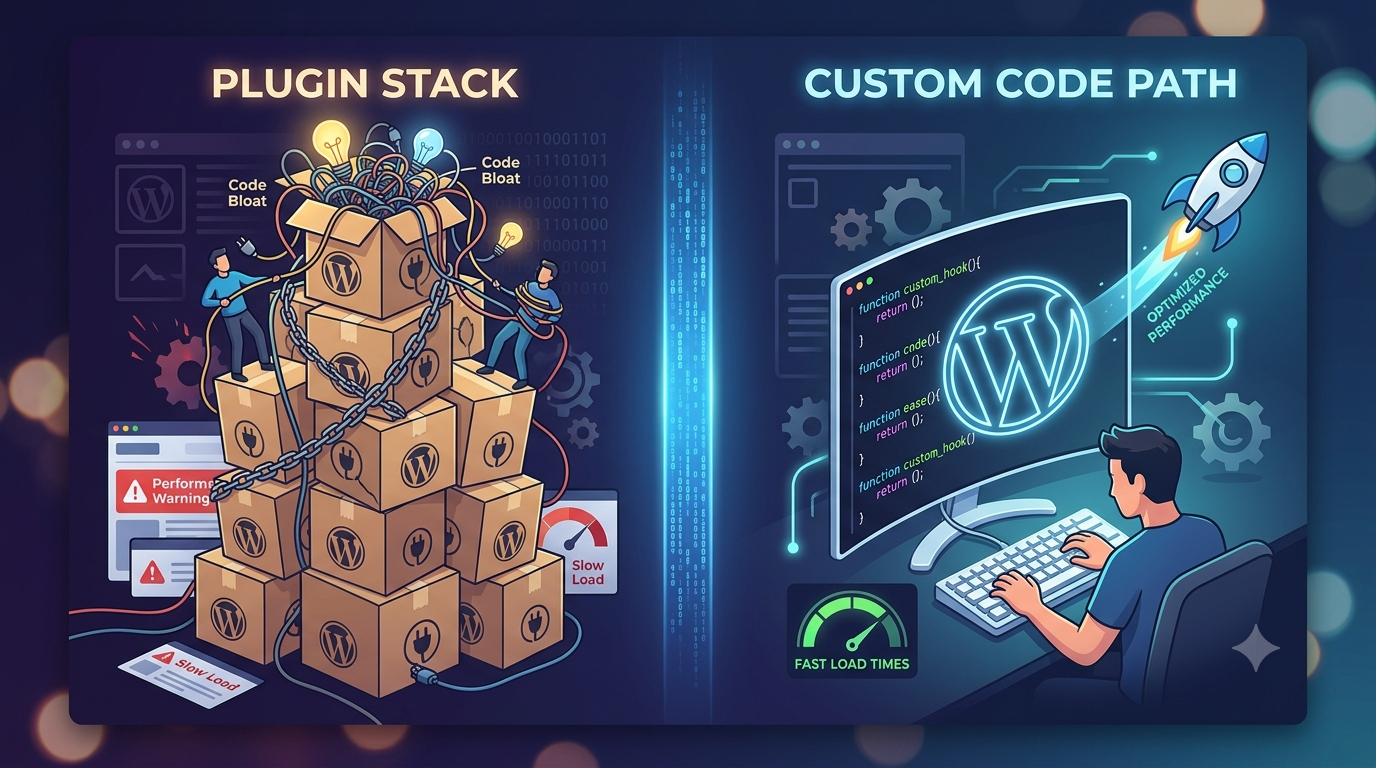
I’ve been building websites with WordPress for, well, longer than I care to admit sometimes. And in that time, I’ve heard it countless times, and probably even said it myself in a moment of haste: “Oh, you need X? There’s a plugin for that.” It's the ultimate WordPress mantra, a kind of digital shrug that often means "problem solved, moving on."
And honestly, for a lot of things, it’s absolutely true. WordPress’s plugin ecosystem is one of its greatest strengths. Need a complex e-commerce store? WooCommerce is your hero. A robust SEO setup? Yoast or Rank Math have got your back. Advanced security? Wordfence or Sucuri. These are massive, intricate systems that would take even a seasoned developer months, if not years, to replicate properly. For these heavy-hitting, feature-rich requirements, plugins are not just convenient; they're essential. They bring powerful functionality, often with a decent user interface, and usually a community of support. They democratize web development, letting folks build incredible things without writing a single line of code.
But here’s the thing. That "just install a plugin for that" mindset, while often helpful, can also lead you down a very tangled path. It’s like, you want to hang a picture, so you buy a power drill that comes with 50 different attachments, a laser level, and an impact driver, when all you really needed was a simple nail and a hammer. Suddenly, you’ve got this huge, multi-function tool taking up space, demanding updates, and frankly, doing a lot more than you ever asked for.
This is where the conversation shifts from convenience to thoughtful development. For every genuinely complex problem that warrants a plugin, there are ten little tweaks, small customisations, or minor functionalities that get saddled with an entire plugin dedicated to just that one thing, plus all the other stuff it carries.
Think about it. You want to change the "Read More" text on your blog posts. Or maybe add a simple custom post type for testimonials, without all the fancy testimonial carousels and submission forms that a plugin might bundle. Perhaps you need to conditionally load a script only on one specific page. Or adjust the output of a shortcode just a little bit.
These are not monumental tasks. Yet, I’ve seen sites where plugins are installed for each of these relatively minor adjustments. And each plugin, no matter how "lightweight" it claims to be, brings its own baggage:
- Extra code: Even if you only use one tiny feature, the entire plugin’s CSS, JavaScript, PHP files, and sometimes database tables still load. This bloat slows down your site. And slow sites mean unhappy users and lower search engine rankings.
- Security risks: Every plugin is a potential vulnerability. An abandoned or poorly coded plugin is an open door for bad actors. The more plugins you have, the larger your "attack surface."
- Maintenance headaches: Updates. Compatibility issues. The dreaded white screen of death after a core WordPress update because one of your 30 plugins hasn't caught up yet. It's a never-ending cycle of vigilance.
- Feature creep: You need one specific thing, but the plugin offers 20. Suddenly, you’re navigating an overwhelming settings panel just to toggle the one option you care about.
- Dependency: What happens if the plugin author stops updating it? Or decides to charge a premium for a feature that was once free? You're stuck, or you have to redo the work with another plugin, or finally code it yourself.
This is where writing a lightweight, custom function truly shines. For those small, specific, single-purpose needs, a few lines of code in your child theme’s functions.php file (and yes, always use a child theme for this, please!) or even a small, purpose-built custom plugin can be far superior.
Why?
- Performance: You write only the code you need. No extra CSS, no extraneous JavaScript, no unused database queries. Your site stays lean and fast.
- Control: You know exactly what the code is doing. No mysterious black boxes. You can modify it, debug it, and understand its impact on your site.
- Security: Fewer third-party dependencies mean fewer potential vulnerabilities. You're responsible for your own code, which you (hopefully) understand well.
- Stability: Less risk of conflicts with other plugins or core WordPress updates. Your custom functions are less likely to break your site because you designed them to be specific and minimal.
- Longevity: Your code isn't reliant on an external developer's whims or business model. It's yours.
Okay, so when do you reach for the code editor instead of the plugin directory? My rule of thumb is this: If WordPress already provides a hook or filter for what I want to do, and it only requires a few lines of PHP, then I'm coding it.
Let me give you some concrete examples:
- Custom Post Types & Taxonomies: Need a CPT for "Services" with a custom taxonomy for "Service Categories"? Instead of installing a CPT UI plugin (which is great for visual users, don't get me wrong), I'll often just register them with
register_post_type()andregister_taxonomy()infunctions.php. It's incredibly light and gives me full control over the arguments. - Modifying default strings: Changing the "Howdy" text in the admin bar or the "Powered by WordPress" in the footer? A simple
add_filter()is all you need. Done in seconds. - Conditionally loading assets: Want a specific JS library only on your contact page? Use
wp_enqueue_script()wrapped in anis_page('contact')conditional. No heavy plugin just for asset management. - Custom image sizes: Defining specific
add_image_size()calls helps WordPress generate exactly the image dimensions you need for your theme, without needing a plugin to manage this. - Simple shortcodes: If you need a quick shortcode to display a specific piece of information or a button with custom styling,
add_shortcode()is your friend. - Adjusting query arguments: Want to show only specific posts on an archive page?
pre_get_postsfilter. Powerful, precise, and extremely efficient.
Now, I'm not saying become a purist and code absolutely everything. That’s just silly. The goal is efficiency and thoughtful architecture. The line isn't always perfectly clear, and it shifts with your own skill level and the complexity of the project. If you're not comfortable with PHP, then a well-vetted plugin might still be the right call for even a "simple" task. The point is to make an informed decision, not a knee-jerk one.
Before you type that search query into the WordPress plugin repository, just pause for a moment. Ask yourself:
- Is this functionality truly complex and multi-faceted, something I wouldn't want to maintain myself?
- Does WordPress already have a built-in mechanism (like hooks or filters) that I can leverage with a few lines of code?
- How much overhead (performance, security, maintenance) will this plugin add versus coding it myself?
- Am I choosing this plugin purely out of habit or convenience, rather than necessity?
Sometimes, the answer will still be "plugin." But sometimes, with a little bit of adventurous coding (and always, always testing on a staging site!), you'll find that crafting a bespoke solution is not just better for your site, but also a deeply satisfying experience. You gain a deeper understanding of WordPress, a cleaner codebase, and a lighter, faster website. And that, my friends, is a win-win-win in my book.